



1. The Core Pillars of Modern Web Design Strategies
Visual Hierarchy and Scanning Behavior
Most web users do not read digital text line-by-line; instead, they scan the content rapidly using layout tracking behaviors known as the "F-Pattern" or "Z-Pattern." Visual hierarchy dictates which elements catch a user’s eye first, guiding them naturally through your conversion funnel.
To improve your website's visual hierarchy:
Use clear headings: Give each page one descriptive H1 heading, followed by logically structured H2 and H3 headings.
Apply strategic contrast: Make important buttons and links easy to identify.
Keep layouts organized: Use spacing, images, and short paragraphs to make content easier to scan.
Highlight your value proposition: Tell visitors what you offer and why it matters.

Seamless and Intuitive Navigation Structures
Complex navigation structures drive users away and dilute your internal link equity. High-performance design models demand a clean header limited to 5–7 critical items. Adhering to standard design patterns—such as locking a clickable brand logo on the top left and pinning the primary conversion action to the far right—removes cognitive friction and speeds up user task completion.
Follow these navigation best practices:
Keep the main menu focused on essential pages.
Place your logo in a familiar position, usually at the top left.
Use descriptive labels such as Services, About Us, Blog, and Contact.
Make your primary action, such as “Get a Quote,” easy to find.
Ensure menus work correctly on mobile devices.
Good navigation improves usability and helps search engines discover relationships between your pages through internal links.

2. Technical Performance: Designing for Search Engines and Humans
To achieve top-tier visibility on Google, your artistic choices must work hand-in-hand with technical SEO performance indicators.
Mobile-First Indexing and Fluid Grid Breakpoints
Google relies strictly on mobile-first indexing . This means search engines grade the overall quality, relevance, and indexability of your site based entirely on its mobile rendering rather than its desktop setup. Implementing fluid responsive web design trends ensures your grid architectures, text sizes, and media assets seamlessly scale across viewports without breaking layouts.

When developing a responsive website:
Use flexible layouts and CSS grids.
Optimize images for different screen sizes.
Maintain readable font sizes and comfortable spacing.
Make buttons and forms easy to use on touchscreens.
Test important pages across different browsers and devices.
A responsive website creates a more consistent experience for visitors regardless of the device they use.
Core Web Vitals and Page Load Speeds
An incredible design layout is useless if it takes more than a few seconds to load. Heavy, unoptimized design choices ruin conversion rates and hurt rankings. Modern performance frameworks demand a strict optimization checklist:
- Next-Gen Image Compression: Convert raw image files into ultra-lightweight next-generation formats like WebP or AVIF to preserve quality while shedding file weight.
- Minified Infrastructure: Avoid heavy code layers by using clean CSS layouts, utilizing native browser capabilities, and minifying scripts to reduce server response times.
- Optimized Largest Contentful Paint (LCP): Ensure your main layout components render in under 2.0 seconds to maximize user dwell times and rank well on search engines.
Google's Core Web Vitals measure three important aspects of user experience:
Metric
What it measures
Recommended target
LCP
Loading performance
2.5 seconds or less
INP
Interaction responsiveness
200 milliseconds or less
CLS
Visual stability
0.1 or less
Targets should be assessed at the 75th percentile of real user visits.
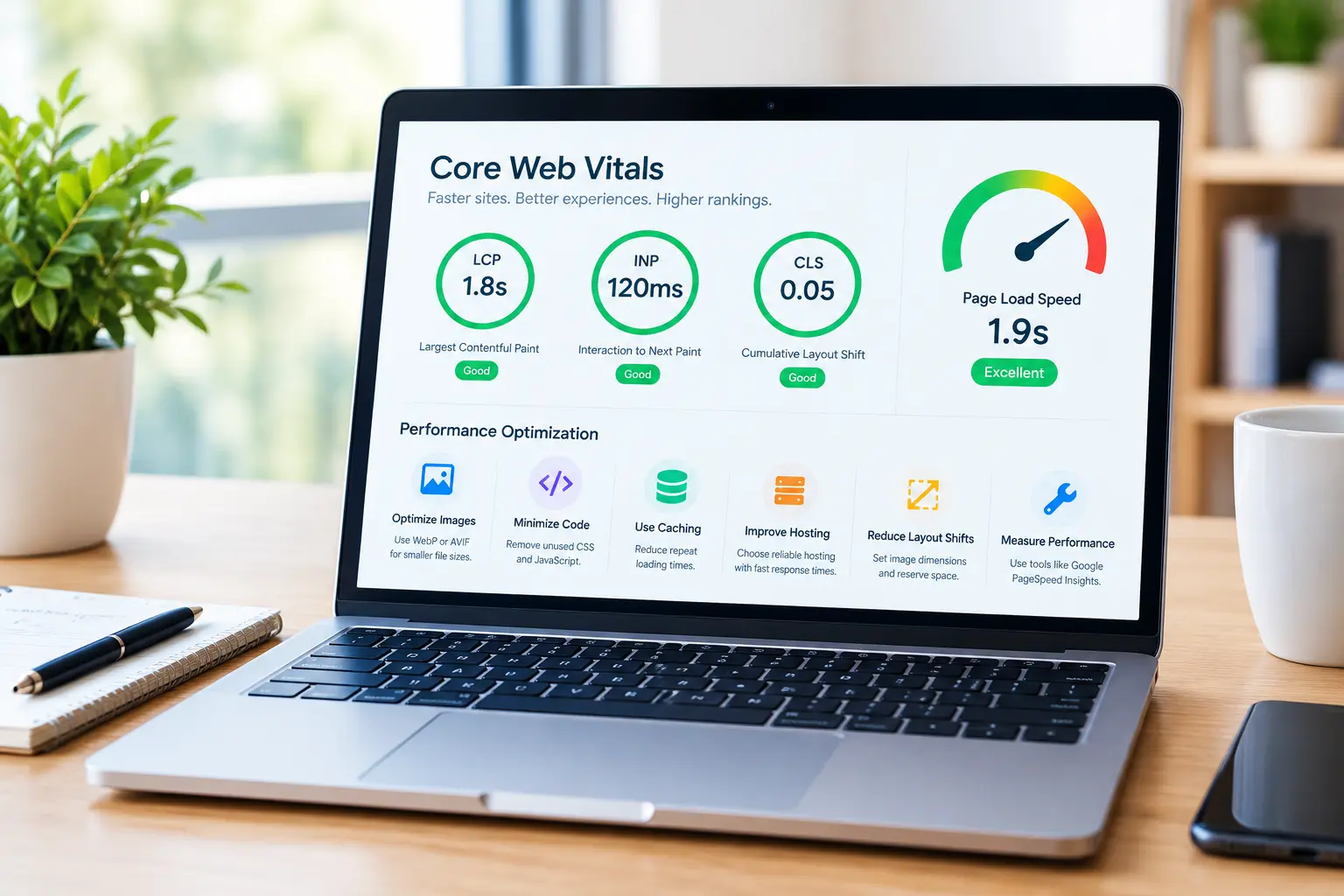
Practical ways to improve website performance include:
Optimize images: Use appropriately sized WebP or AVIF images.
Minimize unnecessary code: Remove unused CSS and JavaScript.
Use caching: Reduce repeat loading times for returning visitors.
Improve hosting: Choose reliable hosting with good server response times.
Reduce layout shifts: Set image dimensions and reserve space for dynamic content.
Measure performance: Use tools such as Google PageSpeed Insights to identify issues.

Populer Posts

What Is Web Design and Development? A Complete..
By neshkevin05@gmail.com October 2, 2026

Modern Web Design Strategies: The Blueprint for a..
By neshkevin05@gmail.com April 29, 2026

The Role of IT in Supporting Remote Technologies
By neshkevin05@gmail.com January 29, 2025